Why a Maintenance Log Is Worth More Than You Think
Most new car owners focus on the obvious costs - fuel, insurance, the monthly payment - and treat maintenance as something that just happens reactively. But your car's service history is a living document that quietly affects your finances in at least three concrete ways.
At the mechanic: When you can tell a technician that the brake pads were replaced 8,000 miles ago and the rotors were last inspected at 42,000 miles, the diagnostic conversation starts from a position of information rather than guesswork. That saves time, which translates directly to labor costs. For more on building that skill, see car maintenance decoded for new drivers.
At resale: A documented vehicle commands more buyer confidence than an identical car with no records. Private buyers routinely use absent documentation as leverage to negotiate a lower price. Your log is a counterweight to that pressure.
At diagnosis: Recurring problems - a battery that keeps dying, a transmission that slips intermittently - are extremely difficult to trace without a timeline. A log gives you and your mechanic the data needed to spot patterns rather than replace parts by trial and error.
Your Log Is a Financial Document
When you sell or trade in your vehicle, a well-kept maintenance log is one of the few things entirely within your control that can justify a higher asking price. Private buyers and dealerships alike treat documented upkeep as evidence that a car has been cared for. Missing or vague records shift negotiating power to the buyer.
Keeping a log also reinforces the cost-saving habits described in keeping running costs down - because you can only optimize costs you're actively tracking.
What to Track and How to Start
The format of your log is entirely secondary to the act of maintaining one. Below are the tools you'll need and the step-by-step process to build this habit from scratch.
What you will need
Dedicated notebook or binder
Provides a single physical location for all handwritten service entries, receipts, and notes.
Spreadsheet app (e.g., Google Sheets or similar)
Enables searchable, sortable digital records accessible from any device.
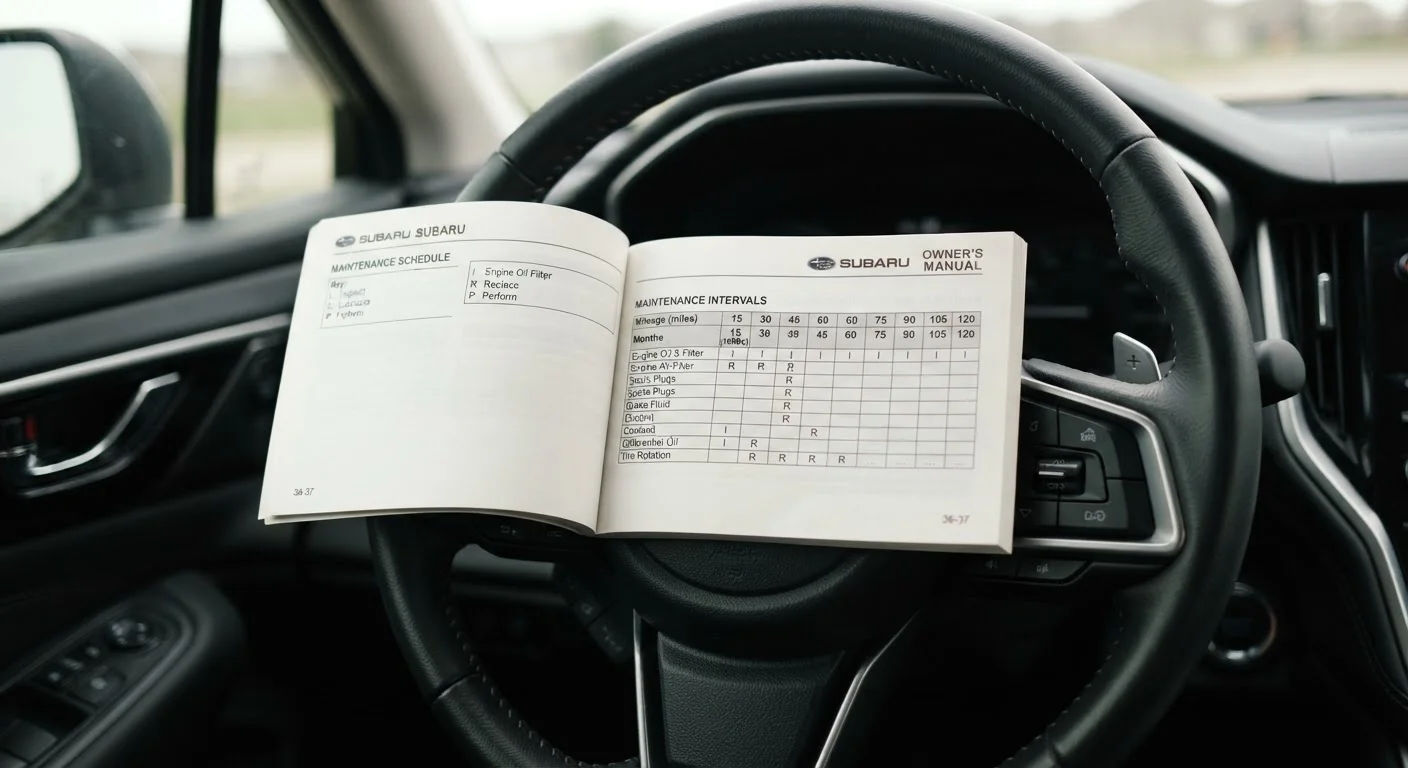
Vehicle owner's manual
Lists the manufacturer's recommended service intervals so you know what to log and when.
Odometer reading at each visit
Ties every service entry to actual mileage, making interval tracking accurate.
Gather your existing records
Before creating anything new, collect what you already have: service receipts, dealer invoices, any inspection reports, and the original vehicle history report if you have one. If you bought used and have nothing, note that gap in your log - it tells future buyers (and your mechanic) exactly when your documented ownership began. Even a single receipt is worth logging.
Choose your format and set it up
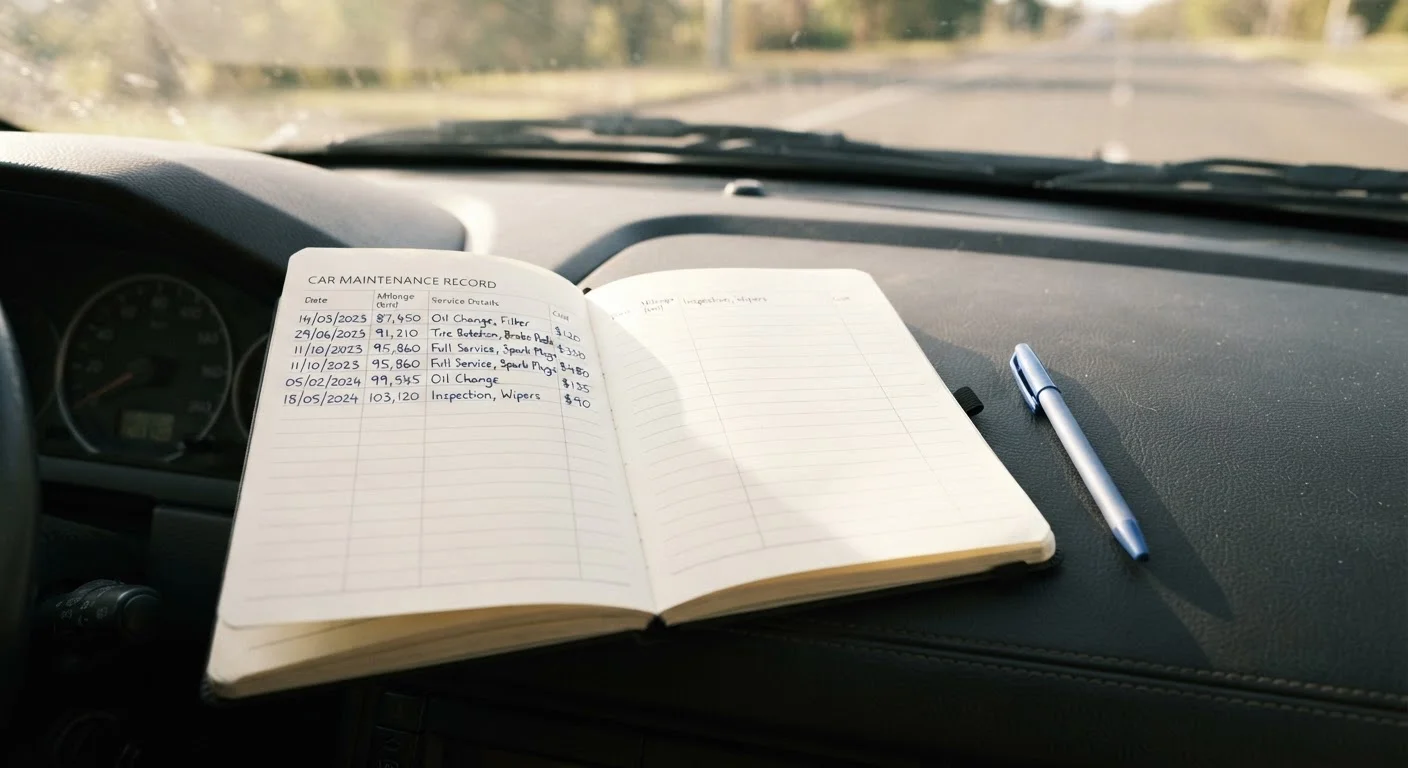
Pick a format you will actually use consistently. A paper notebook works perfectly well; a free spreadsheet gives you search and sort. Whichever you choose, create columns or fields for: date, odometer reading, service performed, cost, shop or technician name, and a notes field for anything unusual the mechanic flagged. Keep the log in your car or bookmark it on your phone.
Log your baseline entry
Record today's odometer reading as your starting point, even if you have no service to log yet. Add any historical entries you gathered in Step 1, working backward in date order. For each entry, include what was done, who did it, what it cost, and the mileage at the time. This baseline transforms a blank log into a useful document from day one.
Add a due-next column
After each entry, calculate and record when that service is next due - both by mileage and by date. For example, if you had an oil change at 34,000 miles and your manual recommends every 5,000 miles, write next due: 39,000 miles or 6 months. This turns your log into a proactive reminder system, not just a historical archive. Cross-reference intervals with your owner's manual; if that feels confusing, the guide reading your car's service schedule explains each interval in plain language.
Update the log immediately after every service
The habit only works if the log stays current. Right after any service - oil change, tire rotation, brake inspection, or even a fluid top-off - add the entry before you leave the parking lot or within 24 hours. Bring the log to appointments so your mechanic can confirm what was done. If you want to understand what to ask during those visits, talking to a mechanic with confidence walks through exactly that.
Review the log every six months
Set a recurring six-month reminder to read through your entire log. Look for patterns: Is a particular fluid always low at the same mileage interval? Has the same warning light appeared twice? Recurring entries can signal an underlying issue worth discussing with a mechanic before it becomes a major repair. This review also confirms that nothing on your due-next list has been accidentally skipped.
Snap a Photo of Every Receipt
Even if you keep a paper log, photograph every service receipt and store the images in a dedicated phone folder or cloud album. Thermal paper receipts fade within a year or two, and a digital backup ensures you never lose proof of a service you paid for. This takes about ten seconds per visit.
Don't Rely on Memory Alone
Many first-time owners intend to track maintenance mentally or via scattered receipts stuffed in the glovebox. In practice, mileage intervals blur together, especially across oil changes, tire rotations, and filter replacements that occur at different frequencies. A single missed timing belt or coolant flush can lead to repair bills that dwarf the cost of any routine service.
Once your log is running, it dovetails naturally with understanding when to handle something yourself versus when to call a professional - a judgment call covered clearly in DIY car maintenance vs. taking it to a mechanic.